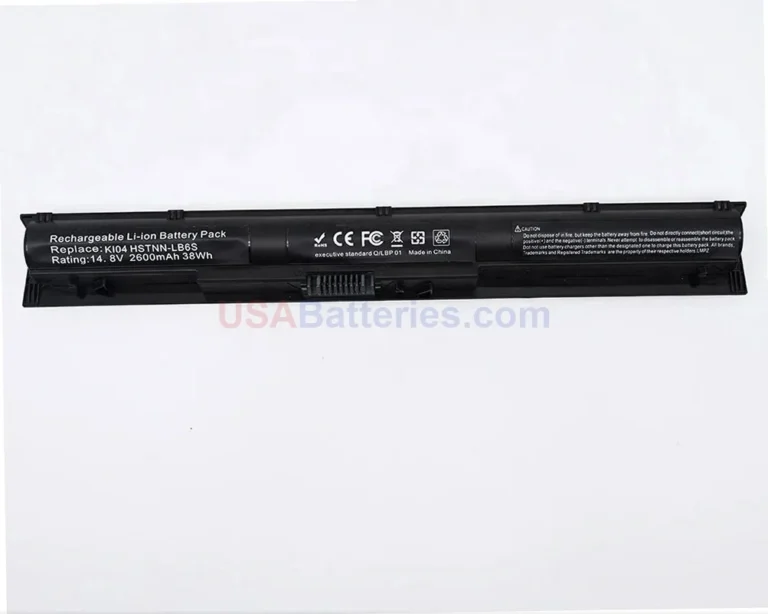
USAbatteries.com stocks 7 compatible replacement batteries for the HP 8000 series. Replacement batteries in this category are priced at $64.99.
The HP EliteBook 800 series is HP’s premier enterprise-class business laptop line, built for corporate IT departments, business professionals, and prosumers who want durable, secure, high-performance machines. The line launched around 2013 to 2014 with the Generation 1 (G1) models and has continued evolving through G9 and beyond into 2026, with each generation bringing a different chassis and internal battery design. Models span screen sizes from compact 13-inch units through 14-inch flagship models and larger 15-inch and 16-inch builds.
HP 8000 series batteries are lithium-ion (and some lithium-polymer) packs, typically built as 3-cell units in the 46 to 53 Wh range depending on generation. Part numbers vary significantly by sub-series and year, and the “G” generation number matters more than the model number when matching. For example, a G3 or G4 EliteBook 840 uses a CS03XL or SN03XL pack, while a G5 or G6 EliteBook 840 uses an SS03XL, so two laptops both labeled “840” can take completely different batteries. Always match your exact model and generation.
Always confirm your exact model number and the part number printed on your current battery before ordering.
What battery does the HP 8000 use?
The HP 8000 uses a 3-cell lithium-ion battery, but the exact part number depends on your generation. G1 and G2 models commonly use the CM03XL (3-cell, 50Wh), G3 and G4 use CS03XL or SN03XL (3-cell, 46 to 51Wh), G5 and G6 use SS03XL (3-cell, 50Wh), G7 and G8 use CC03XL (3-cell, 53Wh), and G9 and newer use WP03XL (3-cell, 51Wh). Replacement batteries in this category run $64.99. Check the label on your old battery to confirm.
How do I find the right battery for my HP 8000 model?
Find the part number printed on your current battery, such as SS03XL or CC03XL, since that is more reliable than matching by the “840” or “850” model number alone. The “G” generation number is the key detail because two laptops both labeled 840 can use different packs across generations. If you cannot read the battery label, check the system BIOS (usually by pressing F10 during startup) to confirm your model and generation, then match to the correct part family like CM03XL, CS03XL, SS03XL, CC03XL, or WP03XL.
How much does a HP 8000 replacement battery cost?
Replacement batteries for the HP 8000 series are priced at $64.99. All packs in this line are 3-cell lithium-ion units ranging from about 46 to 53Wh depending on generation, so cost stays consistent across the various part numbers like CS03XL, SS03XL, and CC03XL. The price reflects the standard 3-cell configuration used across the 830, 840, 850, and 860 models. Match your exact part number to confirm the right fit before ordering.
Are HP 8000 batteries interchangeable?
No, HP 8000 batteries are not universally interchangeable, even within the same model number. A G1 or G2 840 uses a CM03XL, while a G5 or G6 840 uses an SS03XL, and a G7 or G8 840 uses a CC03XL. These packs have different connectors, shapes, and capacities (46 to 53Wh), so they do not swap between generations. The generation matters more than the screen size or model number, so always match by the specific part number printed on your battery.
What differs between the HP 8000 sub-series batteries?
The HP 8000 sub-series differ mainly by chassis size, which dictates internal battery space. The 13-inch (830) sometimes uses a lower-capacity variant, the 14-inch (840) is the high-volume flagship, and the 15-inch (850) larger chassis often holds a higher-capacity pack. Across generations the part families change too, from CM03XL (G1/G2) and CS03XL (G3/G4) to SS03XL (G5/G6), CC03XL (G7/G8), and WP03XL (G9+). Capacities range from about 46 to 53Wh, all 3-cell lithium-ion.
Where do I find the battery part number?
The part number is printed directly on your original battery, shown as codes like SS03XL, CC03XL, or WP03XL. To read it, remove the base cover (usually Phillips screws) and look at the label on the pack itself. If you prefer not to open the laptop, check the system BIOS by pressing F10 during startup to confirm your exact model and generation. Searching by that specific code, for example “CS03XL,” is far more accurate than searching by “EliteBook 840 battery.”
Can I replace the HP 8000 battery myself?
Yes, you can replace the HP 8000 battery yourself, since all packs in this series are internal and accessed by removing the base cover, usually held with Phillips screws. After opening the case you disconnect the old pack, install the matching replacement (for example an SS03XL or CC03XL), and reattach the cover. The job is straightforward with basic tools. Just confirm you have the correct 3-cell part number for your generation, since a G5 SS03XL will not fit a G7 that needs a CC03XL.
What are the signs the HP 8000 battery needs replacing?
Common signs include much shorter runtime than when the laptop was new, the system shutting down well before reaching zero percent, or the battery refusing to hold a charge. You may also see a battery health warning in Windows or the HP system diagnostics. Since these are 3-cell lithium-ion packs (46 to 53Wh) that degrade over years of charge cycles, declining capacity is normal over time. If your runtime has dropped noticeably, match your part number, such as CC03XL or WP03XL, and replace the pack.
Last updated: June 2026. Compatibility data verified before publishing.



 HPHP 2